AI-powered recording & notes

Be in the moment.
Keep the meaning.

Record with confidence. Capture conversations as text, uncover key takeaways with AI, and return to important details whenever you need them.

Free to get started · Made for real life, not more admin
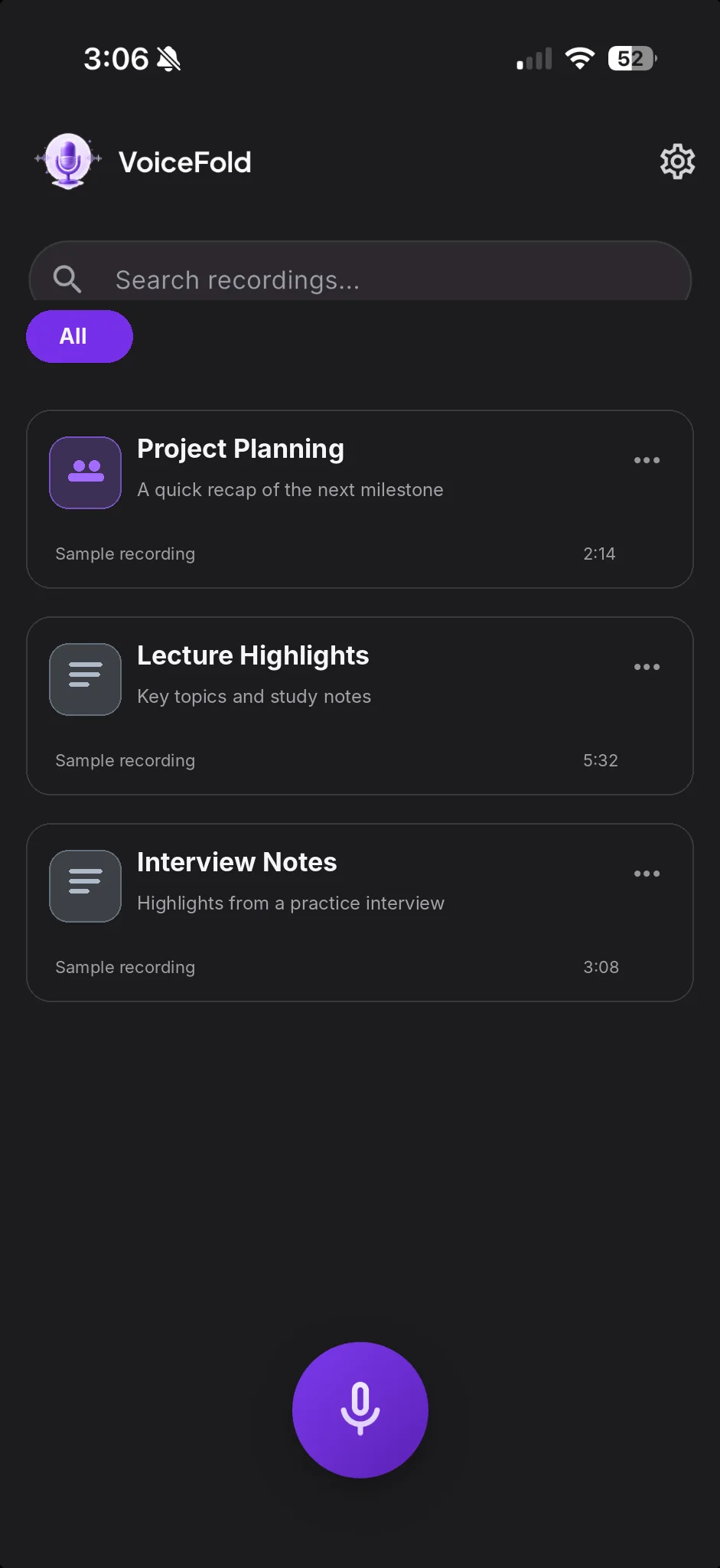
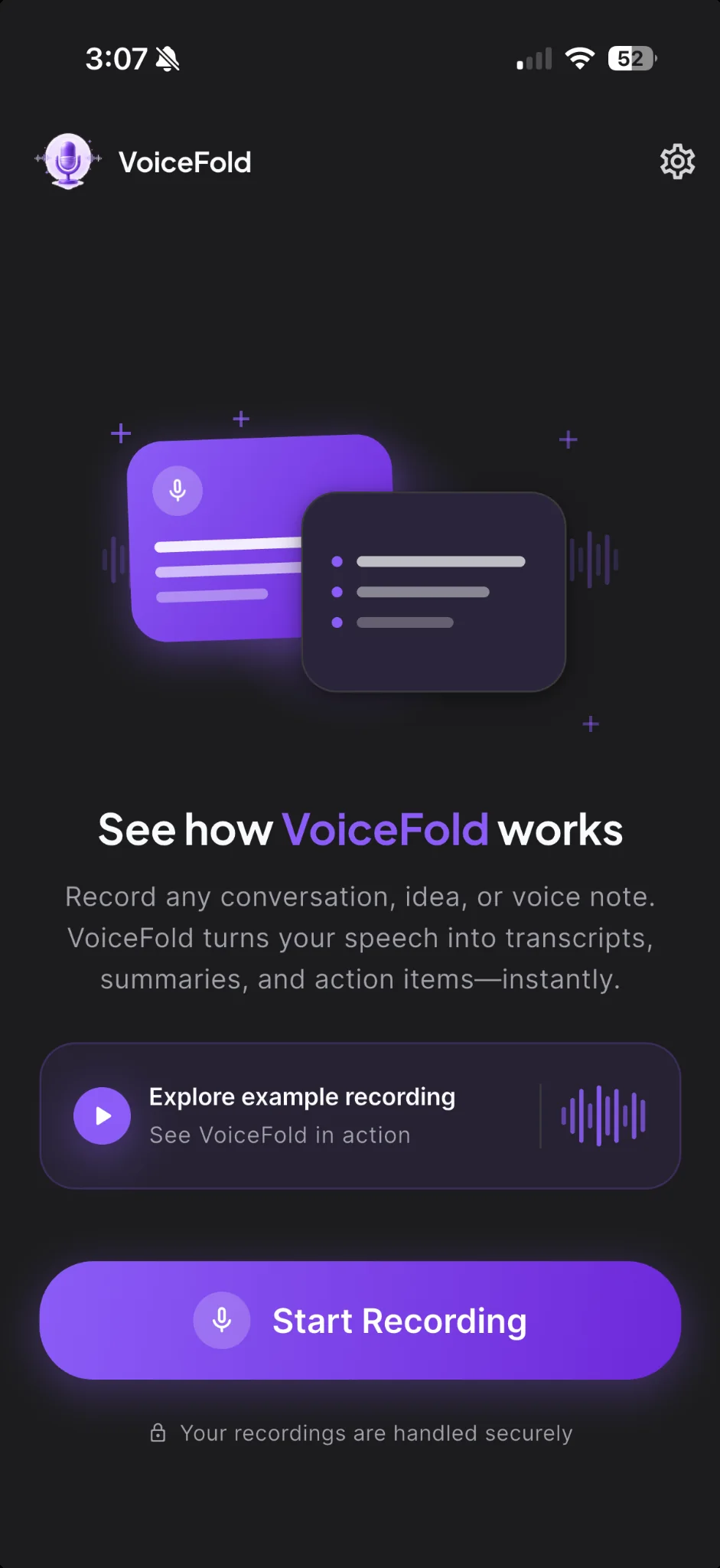
VoiceFold home screen with Start Recording button
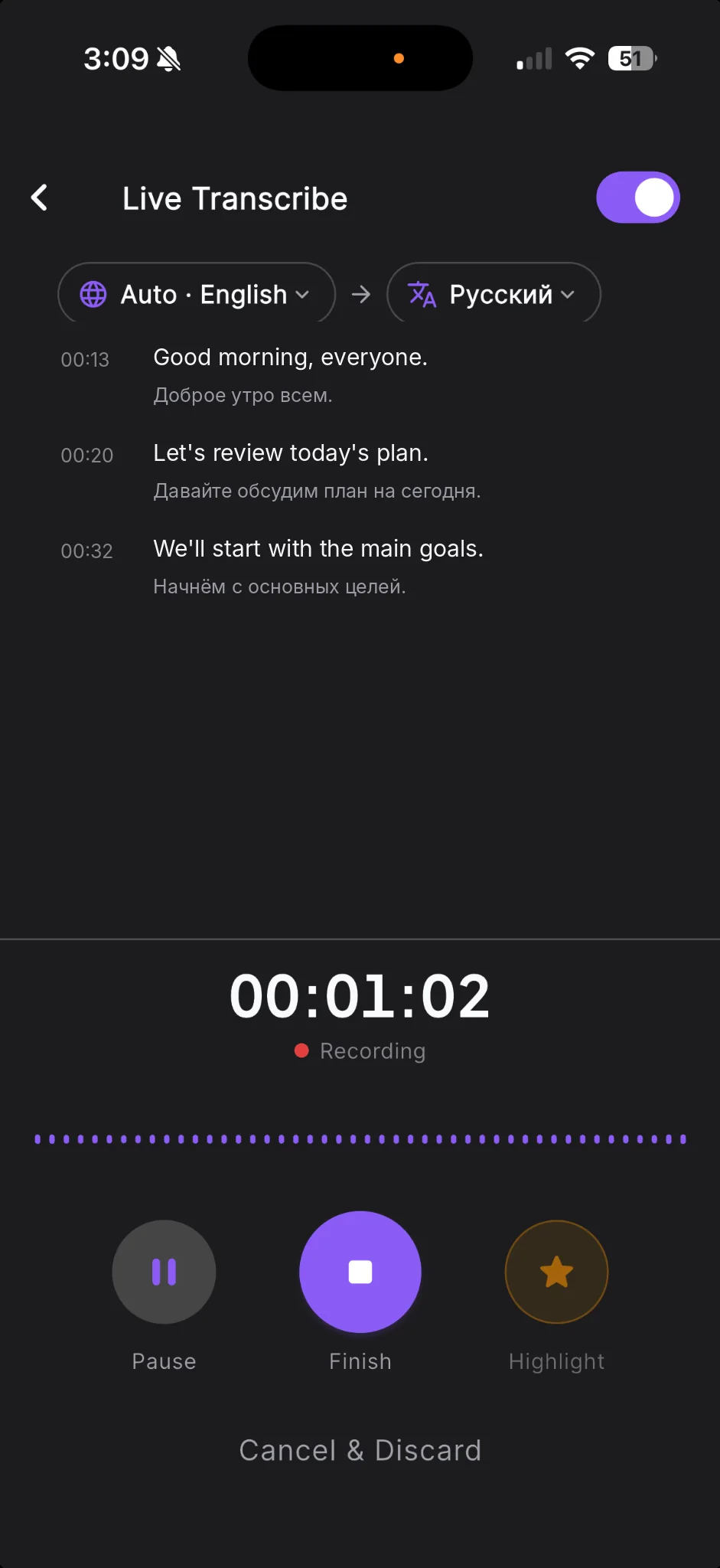
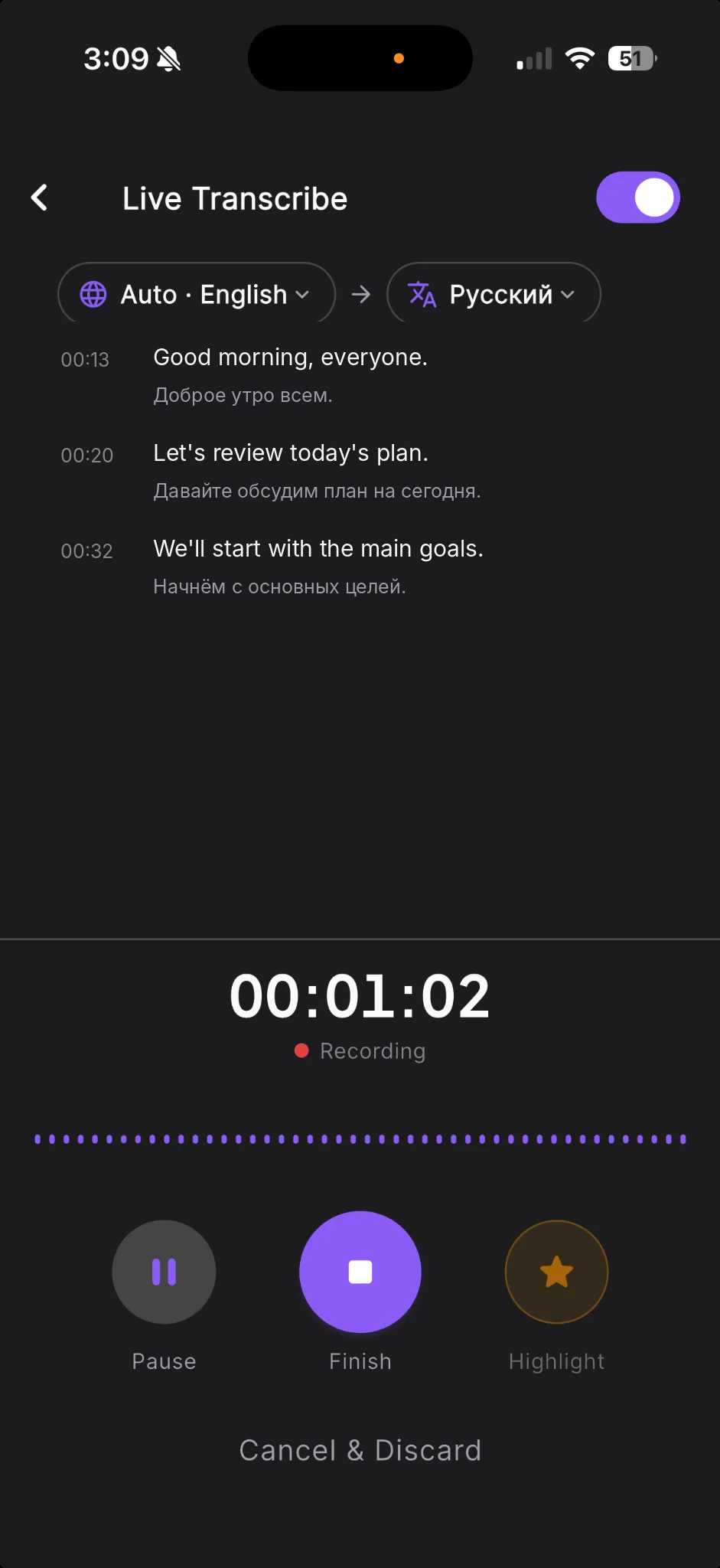
VoiceFold live transcription screen with translation enabled
BUILT FOR CONVERSATIONS
Capture more than words.

Transcripts and insights in one focused experience.

AI-POWERED NOTES
Go beyond the recording.

Revisit the details and keep moving forward.

〰 Live transcription✳ AI insights◈ Ask AI⇄ Live translation*

More value from every recording

Recording is just
the beginning.

A voice memo is a moment saved. VoiceFold helps turn it into something you can actually use.

✳

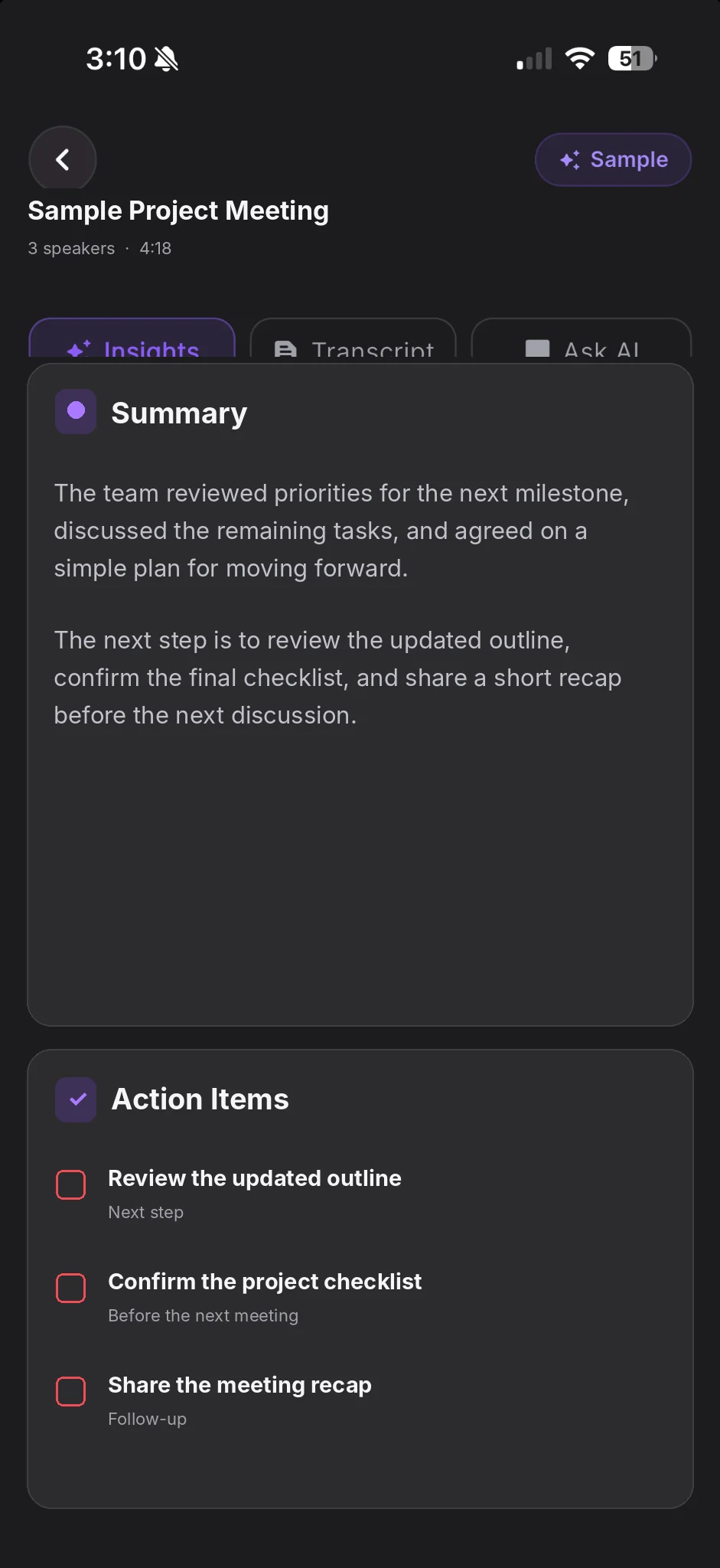
Summaries that bring clarity.

Turn your recording into a clear recap, key takeaways and meaningful next steps with AI insights.

✳MEETING INSIGHTSSample

The weekly sync, simplified.

✓Release direction confirmed
✓Review designs with the team
✓Share the final checklist
≋

Transcription in real time.

Read along with live transcription instead of racing to write everything down.

◈

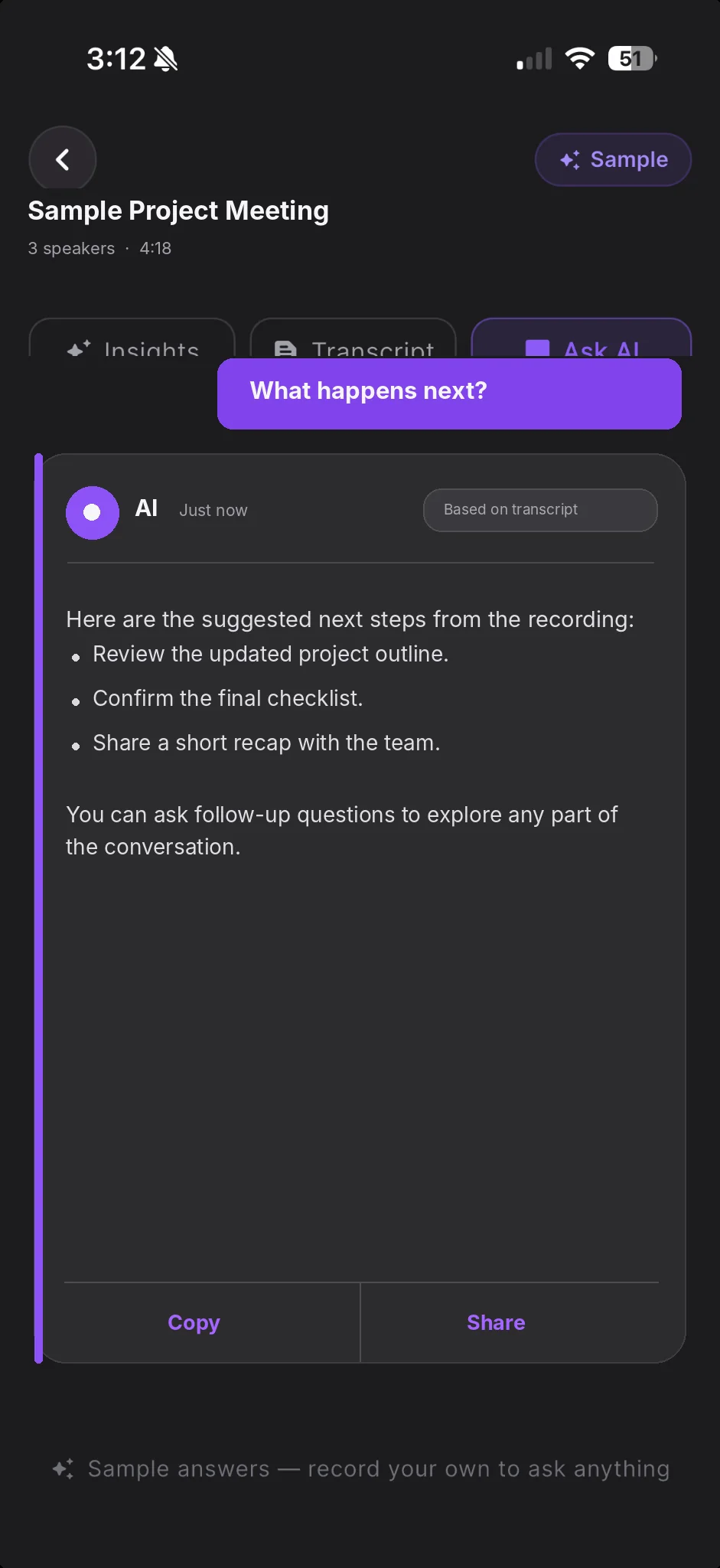
Answers from your recordings.

Find decisions, details and next steps with questions about your recording.

What did we agree on?
✳   The team agreed to prioritize the new release.
⇄

Conversations across languages.

Translate live speech on compatible devices and supported languages.*

Español⇄English
↗

Save and share your insights.

Export and share transcripts or insights in useful formats, subject to your plan.

PDFMarkdownTXT

* Live translation availability varies by device, platform, and supported language.

Designed around better conversations

The conversation ends.
The value continues.

Important moments can get buried in long recordings and scattered notes. VoiceFold makes it easier to return to what was said and understand what comes next.

From meetings and interviews to lectures and quick ideas, VoiceFold brings transcription, AI-powered insights, and follow-up questions into one focused experience.

Explore VoiceFold
01

Stay present.

Press record. Listen to people, not your to-do list.

↗
02

Find the signal.

Read the transcript and see the important points more clearly.

↗
03

Move things forward.

Ask a question, review a follow-up, share what matters.

↗

Explore the features

One conversation.
So much more clarity.

See how VoiceFold supports each step, from live transcription to AI-powered understanding.

THE VOICEFOLD EXPERIENCE

Stay focused on the conversation.

Follow along as words become a live transcript, ready to revisit later.

Capture→Understand→Act
VOICEFOLD · APP PREVIEWREAL UI
VoiceFold recording live transcription and supported translation
Follow conversations with live transcription as you record.

Feature previews use sample content. The website does not record audio or process conversations.

Made for the moments that matter

However you listen,
make it count.

Not every recording is a meeting. VoiceFold helps you make sense of the conversations, classes and ideas that fill your day.

01 / MEETINGS▤

Walk out with a plan.

Capture decisions and next steps without splitting your attention.

02 / LECTURES✎

Listen first. Study later.

Turn classroom audio into something you can revisit when reviewing.

03 / INTERVIEWS◈

Remember the answers.

Stay engaged and return to the details when it's time to follow up.

04 / IDEAS✳

Keep the spark.

Save the thought now and find its meaning when you're ready.

Notes from the community

Don't just take
our word for it.

★★★★★

Short excerpts from public VoiceFold App Store reviews.

Read full reviews
the summaries save a lot of time
JJulia DLFPublic App Store review
Perfect for meetings, lectures, interviews, and voice notes.
RRmuddinPublic App Store review

Excerpts are from real public reviews, shortened for presentation. Individual experiences vary. Visit the App Store for the complete review context.

Start small. Go further.

A better way to listen.
At your own pace.

Try VoiceFold with limited free usage, then unlock more recording time and premium tools when you need them.

Explore download options
01

Free

Get a feel for recording, transcription and selected AI features.

Get started
✳

Premium

More recording allowance, expanded AI features and additional insights templates.

Go further

Prices, trials, feature limits and availability are shown in your app storefront and can vary by region and plan.

A few good questions

The useful
details.

Everything you need to know before your first recording.

Is VoiceFold free to try?

Yes. VoiceFold includes limited free usage. Optional Premium subscriptions unlock additional allowances and capabilities. Check the app for the details available to you.

Can I transcribe while recording?

VoiceFold offers live transcription on supported devices. You can also process saved recordings into transcripts and AI insights.

Can VoiceFold translate speech?

Live translation is offered for supported languages on compatible devices. Features and language availability may vary by platform.

Can I ask questions about a recording?

Yes. Ask AI helps you explore a recording's contents and revisit details, decisions and follow-ups. Usage depends on your plan.

What happens to my recordings?

VoiceFold uses service providers to process audio and AI features. Please review our Privacy Policy for processing, storage and account details. Always obtain appropriate consent before recording.

Can I export or share my notes?

VoiceFold supports exports including PDF, Markdown and plain text, with availability subject to plan and platform.

EVERY WORD HAS A STORY

The next great idea
could be one conversation away.

Less time replaying. More time moving forward.

Free to download. Optional in-app purchases.